


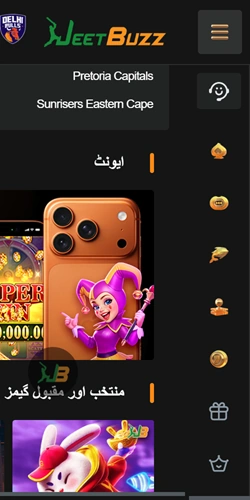
Android installation process
The Android app isn't on Google Play because betting apps get restricted there, so you download the APK file directly from Jeetbuzz Pakistan. The file size sits around 45 MB and installation takes roughly 90 seconds on most phones running Android 6.0 or newer.
Steps to install on Android
Punch the Android download button on this page. Your browser asks if you want to save the APK file — confirm and wait for it to finish downloading. Open your phone's Settings, go to Security (or Privacy on some devices), and enable "Install from unknown sources" or "Install unknown apps" for your browser. This lets you install apps outside the Play Store.
Locate the downloaded APK in your Files app (usually in the Downloads folder). Tap it and select Install. The system runs a quick security check, then the app installs. After that, you can disable the unknown sources setting again if you want, though leaving it on won't cause issues since you control what gets installed.
Once installed, the Jeetbuzz Pakistan icon appears on your home screen. Open it, log in with your account details, and you're set. The app auto-updates when you open it if there's a newer version available.
iOS installation for iPhone users
The iOS version works differently. Since Apple's App Store policies restrict direct betting app listings in Pakistan, Jeetbuzz Pakistan uses a web-based progressive app that installs through Safari. It behaves like a native app once added to your home screen and works on iPhone models running iOS 12.0 or later.
Adding the app to iPhone
Open Safari (must be Safari, not Chrome or other browsers) and visit the Jeetbuzz Pakistan website. Tap the Share icon at the bottom of the screen — it's the square with an arrow pointing up. Scroll down and select "Add to Home Screen." You can rename it if you want, though it defaults to "Jeetbuzz Pakistan."
Tap Add in the top right corner. The app icon appears on your home screen alongside your other apps. When you open it, it launches in fullscreen mode without the Safari browser bars, basically giving you the same experience as a regular app from the App Store.
Updates happen automatically when you launch the app while connected to Wi-Fi or mobile data. The system checks for the latest version and applies changes in the background.
What the mobile app includes
The app mirrors the desktop site but optimized for smaller screens and touch navigation. You get access to the same markets, games, and account functions without needing to open a browser every time you want to place a bet or spin a slot.
Performance and data usage
The app is lighter on data than the mobile browser version. A typical session with live betting and a few slot spins consumes around 15-20 MB per hour, though live streaming (when available) pushes that up to 100-150 MB per hour depending on video quality.
Load times are faster because certain elements cache locally after first launch. Opening the app and reaching the cricket betting markets takes about 3 seconds on a decent 4G connection in Lahore or Karachi, compared to 5-7 seconds when loading the same page in a mobile browser.
System requirements and compatibility
Most Pakistani phones from the last five years run the app without issues. Here's what you need for smooth operation.
App versus mobile browser
Both options work, but the dedicated app gives you a smoother experience if you bet regularly from your phone. The mobile site through a browser is fine for occasional use, whereas the app makes sense if you're placing bets daily or playing crash games during commutes.
If you're in Islamabad with solid Wi-Fi most of the time, the browser might be enough. But if you're moving around Karachi or Lahore on mobile data and want instant access, the app cuts out the extra steps of opening a browser and navigating to the site.
Common installation problems
Most installs go smooth, but occasionally users run into hiccups. Here's how to sort them out.
Android installation blocked
If Android won't let you install the APK even after enabling unknown sources, check if your phone has Play Protect active. Go to Play Store, tap your profile icon, select Play Protect, then Settings, and temporarily disable "Scan apps with Play Protect." Install the Jeetbuzz Pakistan APK, then turn Play Protect back on if you prefer.
Some Xiaomi and Oppo phones have extra security layers. On Xiaomi, go to Settings > Privacy Protection > Special Permissions > Install unknown apps, then enable it for your browser. On Oppo/Realme, check Settings > Security > Installation Sources.
iOS app won't add to home screen
This happens if you're using Chrome or another browser instead of Safari. The "Add to Home Screen" option only appears in Safari on iOS. Switch to Safari, visit the site, and follow the installation steps again.
If Safari doesn't show the Share button, make sure you're not in Private Browsing mode. Exit private mode and reload the page.